You're a small business owner. Fewer than 20 people, probably closer to 5 or 10. You're the one who ends up choosing the CRM, and you don't have a dedicated IT person or an admin whose whole job is managing software. You need something that works properly from week one, not a platform you'll still be configuring in a year.
That's a different buying decision to the one enterprise software gets built for, and it's worth being honest about where HubSpot actually earns its place and where it doesn't.
Does the CRM flex to you, or do you flex to it?
Feature lists don't answer the question that matters
Every CRM comparison online lists features side by side, and every vendor wins on some column. That's not useful when you're the one who has to actually run the thing.
At your size the question is simpler: does your business need to flex to fit the CRM, or can the CRM flex to fit your business? Get that wrong and you'll spend the next two years either fighting a rigid system, or paying someone to keep rebuilding one that's too loose to hold a shape at all.
Where HubSpot gets it right for a business this size
One system instead of five. Marketing, sales, and customer service sit in the same place, against the same contact record. For a business under 20 people, that matters more than any individual feature, because you don't have separate teams for each function. The same person is often sending the email, taking the call, and closing the deal.
It's built to be configured, not coded. Custom fields, custom pipelines, workflows, reporting, even custom objects for more specific data, all of it is doable without a developer. That's the difference that matters most against Salesforce, which assumes you'll eventually hire or contract someone whose job is managing the platform itself.
You can start free and prove it works before you pay. The free CRM tier is a real product, not a 14-day trial dressed up as one. You can run contact management and basic deal tracking on it indefinitely, and only pay once you need automation, reporting, or higher contact volume.
Speed of implementation. A properly configured HubSpot setup can be live in weeks, not months. For a business your size, the cost of a slow rollout, staff reverting to spreadsheets, leads falling through the cracks while everyone waits, is often more expensive than the software itself.
Where it falls short, honestly
Cost scales fast once you're on paid tiers. Marketing Hub in particular prices on contact volume as well as seats, so a growing list can push your bill up even if your team size hasn't changed. This is the single biggest source of "wait, why is my HubSpot bill higher than I expected" conversations I have with business owners, and it deserves its own explanation rather than a paragraph here.
It's not the cheapest, feature for feature. Zoho consistently comes in cheaper for the same core CRM functionality. If price per feature is your only lens, Zoho wins that comparison.
Deep, code-level customisation has a ceiling. HubSpot has closed a lot of this gap over the past few years with custom objects and calculated properties, but if your business runs on an unusual data model or multi-object relationships, you'll hit a wall that Salesforce simply doesn't have.
How it stacks up against the other names you'll hear
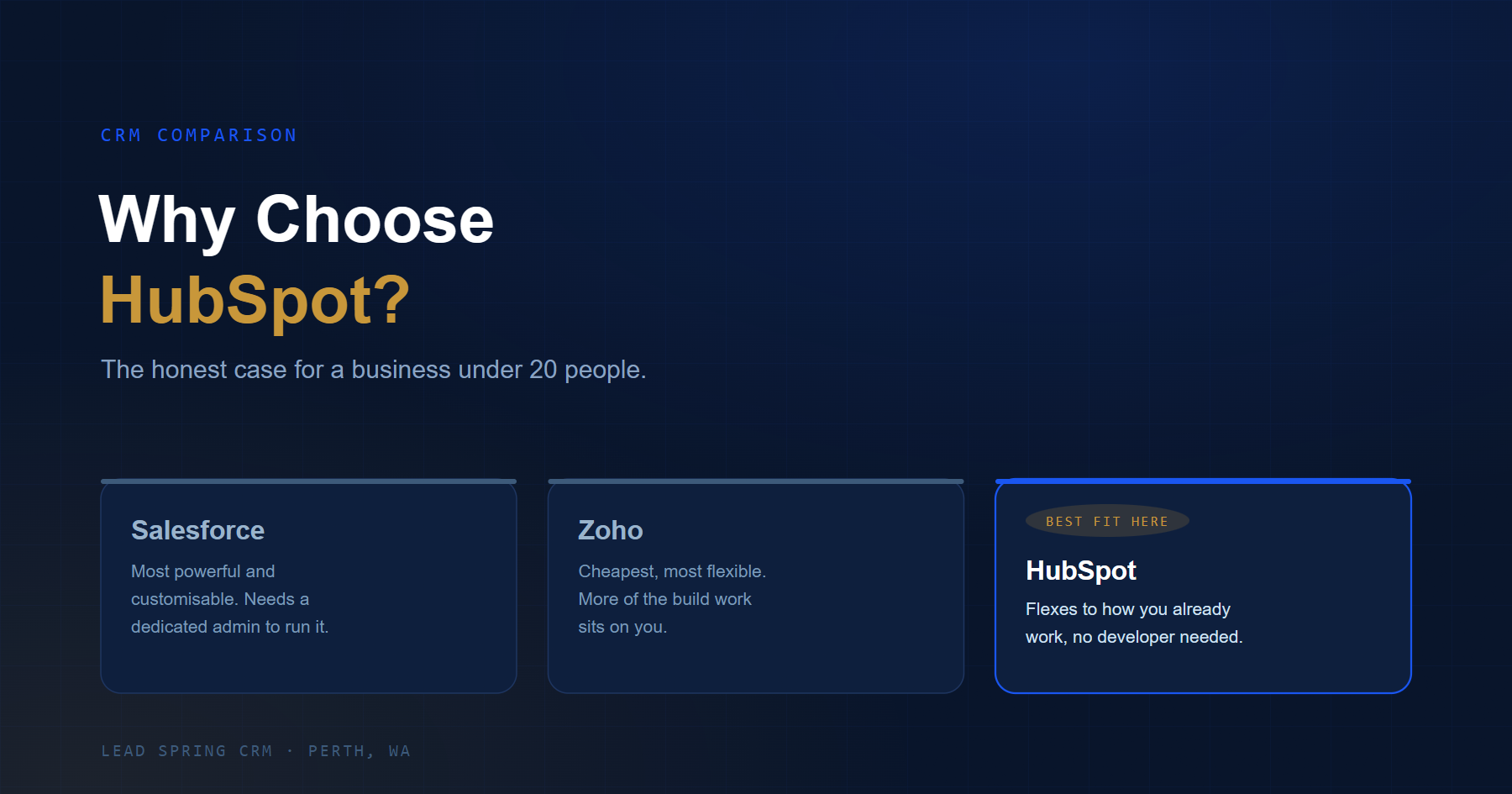
Salesforce is the most customisable and most powerful platform on the market, and it's built for exactly that: enterprise teams with complex sales processes and someone dedicated to administering it. For a business under 20 people, that power is mostly wasted, and the cost and complexity aren't justified until you've actually outgrown a simpler system. I'd only point a small business towards Salesforce if their sales process is already too complicated for a configuration-first tool to handle, which is rare at this size.
Zoho wins on price and on raw flexibility. You can build almost anything if you're willing to put the setup work in yourself or through a consultant. The trade-off is exactly that: more of the burden sits on you. Less native alignment between marketing and sales, a rougher interface, and more decisions you have to make correctly from scratch. Good fit if budget is the deciding factor and you have the time to build it properly.
Pipedrive is simpler and cheaper again, and it's good at what it does: pipeline and deal tracking. Where it thins out is everything around the pipeline: marketing automation, service, a single view of the customer across their whole relationship with you. Fine if all you need is a sales tracker. Limiting the moment you want one system to run more of the business.
So does the CRM flex to you, or do you flex to it?
Every CRM asks for some of both. The honest answer is that HubSpot sits closer to "flexes to you" than any of the alternatives, for about 80% of what a business your size actually needs on day one: pipelines that match your real sales process, forms and automation that don't need a developer, reporting that answers the questions you're actually asking.
The remaining 20%, the specific, unusual requirements, is where every platform eventually asks you to bring in outside help, whether that's a HubSpot partner, a Salesforce admin, or a Zoho consultant. That trade-off doesn't go away with any tool. What changes is how much of your business you have to reshape to get there, and how much it costs you in time and headcount before you see it working.
For a business under 20 people without a dedicated ops person, that balance point is usually the deciding factor, not the feature list.
A quick gut-check before you decide
If you're still weighing this up, ask yourself three things. Do you already have, or plan to hire, someone whose job includes managing your CRM, or does it need to run itself day to day? Is your sales process actually complex, multiple products, multiple approval stages, unusual data relationships, or is it a fairly normal enquiry-to-close journey? And do marketing and sales need to see the same information, or are they run as completely separate functions?
If most of your answers point towards "small team, straightforward process, marketing and sales overlap," HubSpot is very likely the right call. If they point the other way, it's worth a proper conversation before you commit either way.
Book a Free CRM Chat and I'll walk through your actual sales process with you, no generic demo, no sales pitch, just an honest read on whether HubSpot fits your business or whether something else actually serves you better.
Test